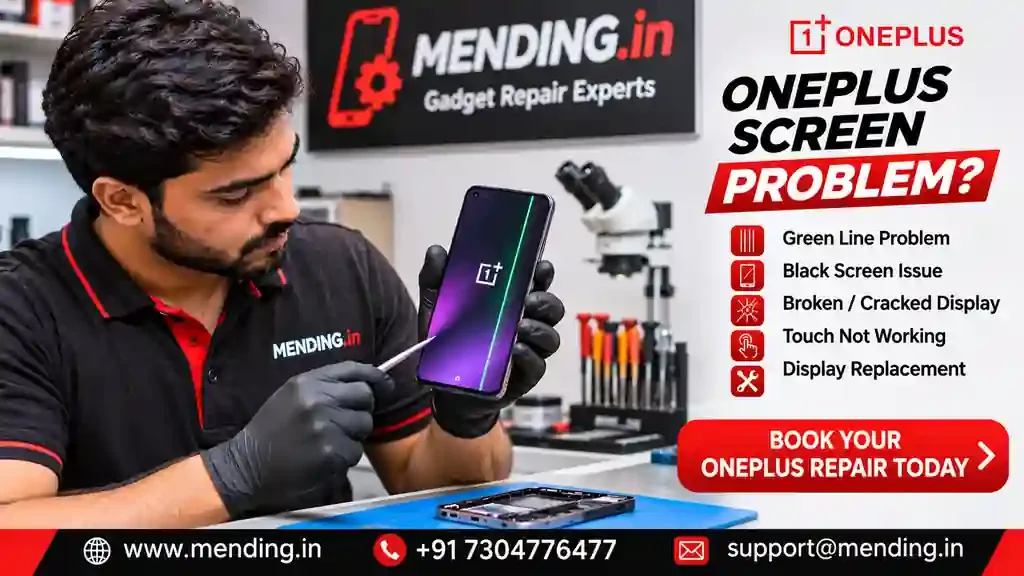
OnePlus Screen Problem? Display Repair & Replacement in Mumbai
OnePlus Screen Problem? Display Repair & Replacement in Mumbai
OnePlus Display Repair | MENDING.in
Is your OnePlus mobile screen broken, showing green lines, flickering or not responding to touch? Does your OnePlus phone turn on but display a completely black screen?
OnePlus smartphones feature advanced display technologies, including AMOLED and OLED panels in many models. Although these displays deliver excellent colours and viewing quality, physical damage, internal display faults and electronic component problems can affect their performance.
At MENDING.in, we provide professional OnePlus mobile repair assistance, including screen replacement, display diagnosis, touch repair assessment and motherboard-level fault diagnosis in supported locations across Mumbai, Navi Mumbai, Thane and Maharashtra.
Whether you own a OnePlus Nord, Nord CE, Nord 2, Nord 3, Nord 4, Nord 5, OnePlus 11, OnePlus 12, OnePlus 13 or another supported model, the correct repair starts with identifying the actual problem.
1. Common OnePlus Screen Problems
A. OnePlus Green Line Problem
Are you seeing a vertical green line on your OnePlus display?
Green lines can appear due to display panel faults, physical damage or other internal display-related problems.
Common symptoms:
- Single vertical green line.
- Multiple green or pink lines.
- Lines appearing after a software update.
- Lines visible even after restarting.
- Display abnormalities during normal usage.
Possible solution: Display diagnosis and replacement if the panel is confirmed faulty.
A software update does not necessarily cause every green-line problem. Proper hardware inspection is recommended.
B. OnePlus Black Screen Problem
Does your OnePlus phone receive calls or vibrate, but the screen remains black?
Possible causes:
- Damaged AMOLED/OLED display.
- Display connector problem.
- Battery or power issue.
- Display IC fault.
- Software crash.
- Motherboard-related problem.
Possible solution: Display and internal hardware diagnosis before recommending replacement.
C. OnePlus Broken or Cracked Display
An accidental fall can damage the display even when the phone continues working.
Common symptoms:
- Cracked front glass.
- Black patches.
- Purple or green spots.
- Vertical lines.
- Touch not working.
- Display completely blank.
Possible solution: Display assembly replacement or another suitable repair, depending on the damage and model.
D. OnePlus Touch Screen Not Working
Is your OnePlus screen displaying images but not responding to touch?
Possible reasons:
- Damaged touch digitizer.
- Internal display assembly damage.
- Connector problem.
- Software-related issue.
- Internal circuit fault.
Possible solution: Touch and display diagnosis to identify the faulty component.
E. OnePlus Display Flickering
A flickering display can make your phone difficult to use.
Possible symptoms:
- Screen brightness changing unexpectedly.
- Display flashing.
- Intermittent black screen.
- Unusual colour changes.
- Flickering after accidental damage.
Possible solution: Software troubleshooting and display hardware inspection.
F. OnePlus Display Showing White or Purple Patches
White, purple or black patches may indicate damage to the display panel.
Such problems can become more noticeable over time.
Possible solution: Display inspection and replacement if required.
2. Why Does a OnePlus Screen Stop Working?
Here are some common reasons:
| Cause | Possible screen problem |
|---|---|
| Accidental fall | Cracked display |
| Excessive pressure | Internal panel damage |
| Water exposure | Display or connector malfunction |
| Display panel failure | Green lines or black screen |
| Connector damage | Intermittent display |
| Software crash | Temporary black screen |
| Motherboard fault | Display not functioning |
A black screen does not automatically mean that the display needs replacement. Proper diagnosis is important.
3. How to Fix OnePlus Screen Problems at Home
Before booking a repair, try these basic troubleshooting steps if your phone has no physical or liquid damage.
Step 1: Force Restart Your OnePlus
Press and hold the Power button and Volume Up button together for approximately 10 seconds, or until the phone restarts. Button behaviour may vary by model.
Step 2: Charge Your Phone
Use a compatible, working charger and cable. Allow the phone to charge for some time and check whether it responds.
Do not charge a phone that has been exposed to water or is overheating.
Step 3: Remove the Screen Protector
If touch response is poor, check whether a damaged or incorrectly fitted screen protector is interfering with touch.
Step 4: Check for Physical Damage
Look for:
- Cracks.
- Black patches.
- Green lines.
- Purple spots.
- Display flickering.
Step 5: Avoid Factory Reset
Do not factory reset your OnePlus without backing up important data. A factory reset will not fix a physically damaged display.
If the screen remains blank or damaged, arrange a professional inspection.
4. OnePlus Screen Replacement – Available Repair Options
Depending on your OnePlus model and the type of damage, different repair options may be available.
| Repair requirement | Possible solution |
|---|---|
| Broken front glass | Glass repair assessment |
| Damaged AMOLED/OLED panel | Display assembly replacement |
| Green line problem | Display diagnosis |
| Black screen | Display and power diagnosis |
| Touch not working | Touch and display inspection |
| Display connector fault | Connector-level repair |
| Motherboard problem | Component-level diagnosis |
| Water damage | Internal liquid damage inspection |
Important: Separate front-glass replacement is technically suitable only for certain display assemblies and damage conditions. It should not be recommended when the underlying display panel is faulty.
5. OnePlus Original/OEM vs Compatible Display
Customers should understand the available replacement display options before approving a repair.
| Feature | Original/OEM option | Compatible option |
|---|---|---|
| Display specification | Depends on verified part | Varies by manufacturer |
| Brightness | Part-specific | Part-specific |
| Colour quality | Part-specific | Part-specific |
| Refresh rate | Depends on model and part | Must be verified |
| Touch response | Depends on part condition | Depends on quality |
| Price | Generally higher | Often more affordable |
Always ask the repair provider to clarify the actual display type, refresh rate, part condition and applicable warranty.
The terms original, OEM, refurbished and compatible are not interchangeable.
6. OnePlus Screen Replacement Cost in India
The repair cost depends on the exact OnePlus model, display technology, part availability and extent of damage.
For example, a OnePlus Nord display replacement may have a different cost from a OnePlus flagship AMOLED display.
Factors Affecting OnePlus Display Repair Cost
| Factor | Pricing consideration |
|---|---|
| OnePlus model | Model-specific display assembly |
| Display technology | AMOLED, OLED or other specification |
| Screen size | Model-specific configuration |
| Refresh rate | Compatible display specification |
| Physical damage | Panel and glass condition |
| Touch problem | Touch and display assembly |
| Internal damage | Connector or circuit repair |
MENDING.in does not publish unverified fixed prices for every OnePlus model.
Get an accurate repair quotation:
https://mending.in/fix-my-device
Share your OnePlus model number and screen photograph to help identify the appropriate repair option.
7. OnePlus Models Supported for Repair Assessment
MENDING.in can assess supported OnePlus models, subject to parts availability.
OnePlus Number Series
- OnePlus 11
- OnePlus 12
- OnePlus 13
- Other supported generations
OnePlus Nord Series
- OnePlus Nord
- OnePlus Nord 2
- OnePlus Nord 3
- OnePlus Nord 4
- OnePlus Nord 5
OnePlus Nord CE Series
- OnePlus Nord CE
- OnePlus Nord CE 2
- OnePlus Nord CE 3
- OnePlus Nord CE 4
- Other supported CE models
Note: Model names listed here are examples, not a guarantee of current parts availability. Confirm your exact model before booking.
8. Does OnePlus Green Line Mean You Need a New Display?
Not always, but a persistent green line may indicate a display panel problem.
Before replacing the display:
- Restart the phone.
- Check whether the line appears during normal usage and startup.
- Check for physical or liquid damage.
- Record the exact OnePlus model.
- Get the display inspected.
If the green line is caused by internal panel damage, software troubleshooting will generally not resolve the hardware fault.
Ask about any applicable manufacturer or service-program eligibility before paying for an independent repair. Eligibility and terms can vary by model, region and condition.
9. OnePlus Doorstep Screen Repair in Mumbai
A damaged mobile display can interrupt business, office work and everyday communication.
MENDING.in offers doorstep mobile repair assistance in supported locations.
Mumbai
Andheri, Bandra, Borivali, Kandivali, Malad, Goregaon, Jogeshwari, Vile Parle, Santacruz, Khar, Juhu, Powai, Ghatkopar, Vikhroli, Mulund, Bhandup, Chembur, Kurla, Sion, Dadar, Parel, Lower Parel, Worli, Colaba, CSMT and Churchgate.
Navi Mumbai
Vashi, Nerul, Belapur, Kharghar, Panvel, Airoli, Ghansoli, Koparkhairane, Sanpada, Juinagar, Seawoods, Kamothe and Kalamboli.
Thane
Thane West, Thane East, Majiwada, Manpada, Ghodbunder Road, Kolshet, Kalwa, Mumbra, Dombivli, Kalyan, Ambernath and Badlapur.
Extended Maharashtra Coverage
Vasai, Virar, Nalasopara, Palghar, Uran, Karjat and other serviceable locations, subject to confirmation.
Contact MENDING.in to confirm doorstep availability for your PIN code.
10. Why Choose MENDING.in for OnePlus Screen Repair?
MENDING.in provides mobile repair services with a focus on proper diagnosis and transparent repair communication.
Our services include:
- OnePlus display replacement.
- OnePlus green line problem diagnosis.
- OnePlus black screen repair assessment.
- Touch screen problem diagnosis.
- Front glass repair assessment.
- Battery replacement.
- Charging problem diagnosis.
- Display connector repair assessment.
- Motherboard and IC-level diagnosis.
- Water damage inspection.
- Applicable repair warranty.
Our Repair Process
1. Model Identification
We identify your exact OnePlus model.
2. Problem Diagnosis
We inspect the display, touch functionality and relevant internal components.
3. Repair Quotation
We explain the available display options and applicable charges.
4. Customer Approval
Repair proceeds after your approval.
5. Repair and Testing
The relevant functions are tested after the approved repair.
6. Warranty Information
Applicable warranty conditions are explained and provided in writing.
11. Will OnePlus Screen Replacement Delete My Data?
Generally, standard display replacement does not require erasing the phone's internal data.
Your photographs, contacts, applications and documents normally remain stored on the original device.
However, always take a backup whenever possible.
Data safety precautions:
- Avoid unnecessary factory resets.
- Do not share your Google Account password.
- Avoid unnecessary software restoration.
- Ask the technician to preserve existing data.
- Confirm before authorising any motherboard replacement.
MENDING.in recommends data-preservation precautions wherever technically possible.
12. Frequently Asked Questions – OnePlus Screen Problems
Q1. Why is my OnePlus screen showing a green line?
A green line can indicate a display panel fault or internal display damage. Proper diagnosis is required.
Q2. Can a OnePlus black screen be repaired?
Yes, depending on the cause. The problem may involve the display, connector, battery, software or motherboard.
Q3. How much does OnePlus screen replacement cost?
The cost depends on the model, display technology and replacement part. Contact MENDING.in for a model-specific quotation.
Q4. Can I repair a OnePlus cracked screen without replacing the entire display?
In some cases, front-glass repair may be technically possible. If the display panel or touch layer is damaged, assembly replacement may be required.
Q5. Why is my OnePlus touch screen not working?
Possible causes include touch digitizer damage, display assembly failure, connector problems or software issues.
Q6. Can a OnePlus green line problem be fixed without replacing the screen?
It depends on the actual cause. A persistent panel-related green line may require display replacement.
Q7. Does MENDING.in repair OnePlus Nord and Nord CE models?
MENDING.in can assess supported Nord and Nord CE models, subject to parts availability.
Q8. Will my data be deleted during OnePlus display replacement?
A standard display replacement generally does not erase internal data. A backup is recommended.
Q9. Does MENDING.in provide doorstep OnePlus screen repair?
Doorstep repair assistance is available in supported locations, depending on the repair requirement.
Q10. Does OnePlus display replacement come with a warranty?
Applicable warranty depends on the display part and repair service. Confirm the written warranty terms before approving the repair.
13. Book Your OnePlus Screen Repair Today
Do not ignore a damaged OnePlus display. A cracked screen, black display, green line or touch problem can make your phone difficult to use.
Get the actual issue diagnosed before spending money on a replacement.
MENDING.in – OnePlus Mobile Repair Services
Website: https://www.mending.in
Book a Repair: https://mending.in/fix-my-device
Call / WhatsApp: +91 7304776477
Email: support@mending.in
Google Business Profile: https://maps.app.goo.gl/uCcfSjWYcdcWYpCV8?g_st=ac
MENDING.in – Doorstep Mobile Repair with Warranty.
मराठी विभाग – OnePlus स्क्रीन खराब झाल्यास काय करावे?
OnePlus मोबाइलची स्क्रीन खराब झाली आहे का?
तुमच्या OnePlus मोबाइलच्या स्क्रीनवर Green Line येत आहे का? स्क्रीन फुटली आहे, टच काम करत नाही किंवा डिस्प्ले पूर्णपणे काळा झाला आहे का?
OnePlus मोबाइलमध्ये AMOLED आणि OLED सारखे प्रगत डिस्प्ले वापरले जातात. अपघात, दाब, पाणी किंवा अंतर्गत हार्डवेअर समस्येमुळे डिस्प्ले खराब होऊ शकतो.
OnePlus स्क्रीन खराब होण्याची सामान्य कारणे
- स्क्रीन फुटणे.
- Green Line Problem.
- Black Screen Problem.
- Touch Screen काम न करणे.
- डिस्प्ले फ्लिकर होणे.
- स्क्रीनवर काळे किंवा जांभळे डाग दिसणे.
- पाणी गेल्यामुळे डिस्प्ले खराब होणे.
- Display Connector खराब होणे.
OnePlus स्क्रीन रिपेअर सेवा
MENDING.in येथे उपलब्धतेनुसार खालील सेवा दिल्या जातात:
- OnePlus Display Replacement.
- OnePlus Green Line Diagnosis.
- OnePlus Black Screen Repair.
- Touch Screen Repair Assessment.
- Front Glass Repair Assessment.
- Battery Replacement.
- Display Connector Diagnosis.
- Motherboard IC Level Diagnosis.
- Water Damage Inspection.
OnePlus स्क्रीन बदलण्यापूर्वी
- मोबाइलचे अचूक मॉडेल तपासा.
- स्क्रीनवर किती नुकसान झाले आहे ते तपासा.
- Original/OEM आणि Compatible डिस्प्लेचे पर्याय समजून घ्या.
- दुरुस्तीचा खर्च आधी निश्चित करा.
- लागू असलेली Warranty लेखी स्वरूपात घ्या.
- शक्य असल्यास डेटाचा बॅकअप घ्या.
मुंबईमध्ये OnePlus Mobile Repair
MENDING.in कडून मुंबई, नवी मुंबई, ठाणे आणि उपलब्धतेनुसार महाराष्ट्रातील विविध ठिकाणी Doorstep Mobile Repair सुविधा दिली जाते.
आजच रिपेअर बुक करा.
Website: https://www.mending.in
Booking: https://mending.in/fix-my-device
Phone / WhatsApp: +91 7304776477
Email: support@mending.in
MENDING.in – तुमच्या मोबाईल रिपेअरिंगसाठी व्यावसायिक सेवा.
Legal Disclaimer
MENDING.in is an independent third-party repair service and is not affiliated with, authorised by, or endorsed by OnePlus Technology or its parent companies. OnePlus and related product names are trademarks of their respective owners. Repair options, parts availability and warranty coverage are subject to inspection and applicable service terms.
Suggested Internal Links
- Homepage: https://www.mending.in
- Book a Repair: https://mending.in/fix-my-device
- Doorstep Mobile Repair: Link to the existing service page.
- OnePlus Repair: Link to the relevant existing service page, if available.
- Contact Us: Link to the existing contact page.
Author: Vishal Khadtare
Brand: MENDING.in
Category: OnePlus Mobile Repair
Language: English + Marathi
Last Updated: 09 November 2026
About Us
We Are Tech repair Specialists, Serving Since 2020
I am Vishal Khadtare, the founder of Mending, with over 10 years of expertise in phone repair. At Mending, we set the standard for quality and trust by offering top-notch repair solutions. From complex motherboard fixs to convenient doorstep services, we prioritize seamless and hassle-free experiences for our customers.
Recent Posts
Water Inside MacBook Pro Screen? Liquid Damage Repair in Mumbai
MacBook Pro LCD Broken? Display Repair & Replacement in Mumbai